IE SCROLL BAR CSS STYLE GENERATOR
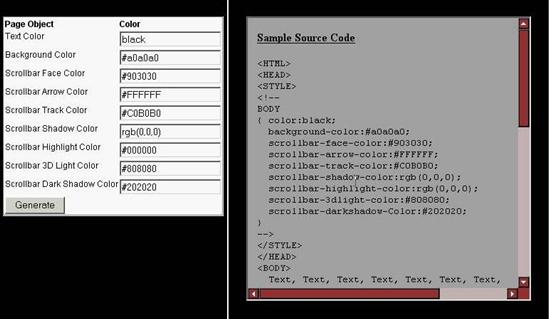
Free IE Scroll Bar Cascading Style Sheet (CSS) GeneratorAnother simple customization that you can make to your html pages for Internet Explorer users is to customize the color of the IE scroll bars. While this task is easier than some to experiment with, this scroll bar generator / style sheet maker makes it even easier and quicker to get exactly the page layout that you want.Click here to run the HTML Scroll Bar Style Generator 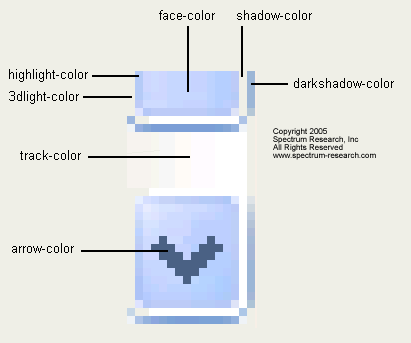
Currently, only Internet Explorer supports this little customization. The coloring is controlled by adding a section of code to your Cascading Style Sheet (CSS) or by including code like the following in the <HEAD> section of your html page.
 <STYLE>
 <!--
 HTML,BODY
 { color:black;
   background-color:#a0a0a0;
   scrollbar-face-color:#903030;
   scrollbar-arrow-color:#FFFFFF;
   scrollbar-track-color:#C0B0B0;
   scrollbar-shadow-color:rgb(0,0,0);
   scrollbar-highlight-color:rgb(0,0,0);
   scrollbar-3dlight-color:#808080;
   scrollbar-darkshadow-Color:#202020;
 }
 -->
 </STYLE>
HTML Colors can be specified in their English colors, like "red" and "blue". Alternately, they can be specified as HEX values like "#FFFFFF" for white, or as RGB values like "rgb(255,255,255)". Our scroll bar style generator will allow you to experiment with different color combinations.
|